Owner's Manual — page 55 of 201
GENERAL INFORMATION
Text on this page
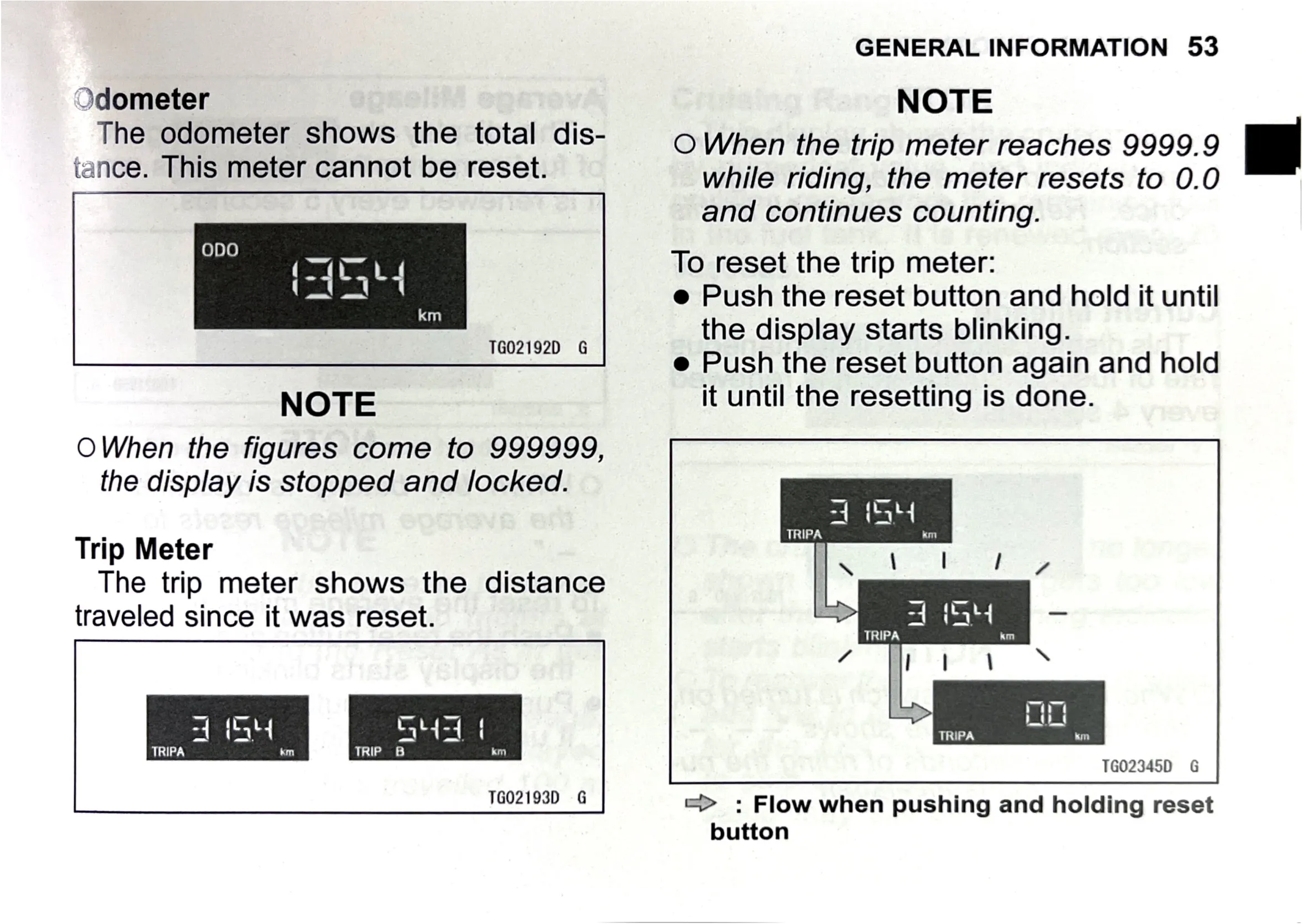
Odometer
The odometer shows the total dis-
tance. This meter cannot be reset.

oDpOo

‘
‘aal!

i
land

\

km

TG02192D G

NOTE

OWhen the figures come to 999999,
the display is stopped and locked.

Trip Meter
The trip meter shows the distance
traveled since it was reset.

TRIPA

GENERAL INFORMATION 53

NOTE

O When the trip meter reaches 9999.9
while riding, the meter resets to 0.0
and continues counting.

To reset the trip meter:

e Push the reset button and hold it until
the display starts blinking.

e Push the reset button again and hold
it until the resetting is done.

TRIPA ae in

TG02345D G

JG02193D G

=> : Flow when pushing and holding reset
button