Service Manual — page 646 of 715
Electrical System › Key Registration
Text on this page
16-86 ELECTRICAL SYSTEM
Immobilizer System (Equipped Models)

• Insert  the registered ignition key to the ignition switch and
  turn it to “ON.”
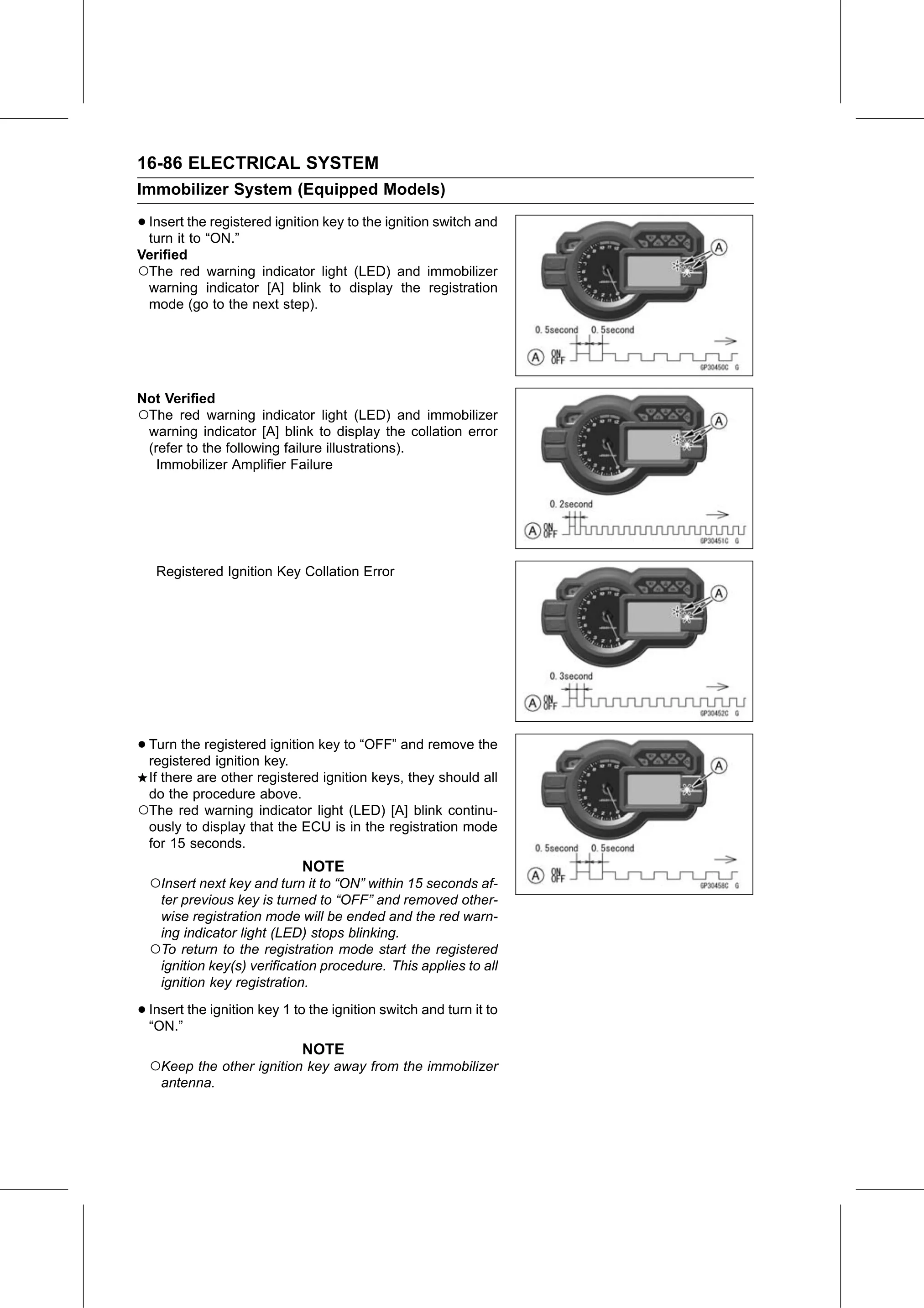
Verified
○The red warning indicator light (LED) and immobilizer
 warning indicator [A] blink to display the registration
 mode (go to the next step).

Not Verified
○The red warning indicator light (LED) and immobilizer
 warning indicator [A] blink to display the collation error
 (refer to the following failure illustrations).
   Immobilizer Amplifier Failure

   Registered Ignition Key Collation Error

• Turn the registered ignition key to “OFF” and remove the
  registered ignition key.
 If there are other registered ignition keys, they should all
 do the procedure above.
○The red warning indicator light (LED) [A] blink continu-
 ously to display that the ECU is in the registration mode
 for 15 seconds.
                             NOTE
  ○Insert next key and turn it to “ON” within 15 seconds af-
   ter previous key is turned to “OFF” and removed other-
   wise registration mode will be ended and the red warn-
   ing indicator light (LED) stops blinking.
  ○To return to the registration mode start the registered
   ignition key(s) verification procedure. This applies to all
   ignition key registration.

• Insert
  “ON.”
         the ignition key 1 to the ignition switch and turn it to

                             NOTE
  ○Keep the other ignition key away from the immobilizer
    antenna.