Owner's Manual — page 53 of 201 (printed page 51)
GENERAL INFORMATION
Text on this page
TG02488D G

GENERAL INFORMATION 51

e Push the upper button or lower but-
ton to select the item. When pushing
the lower button, the display items
are shifted in the following order.
When pushing the upper button,
these are shifted in the reverse or-
der.

Odometer

Trip Meter A

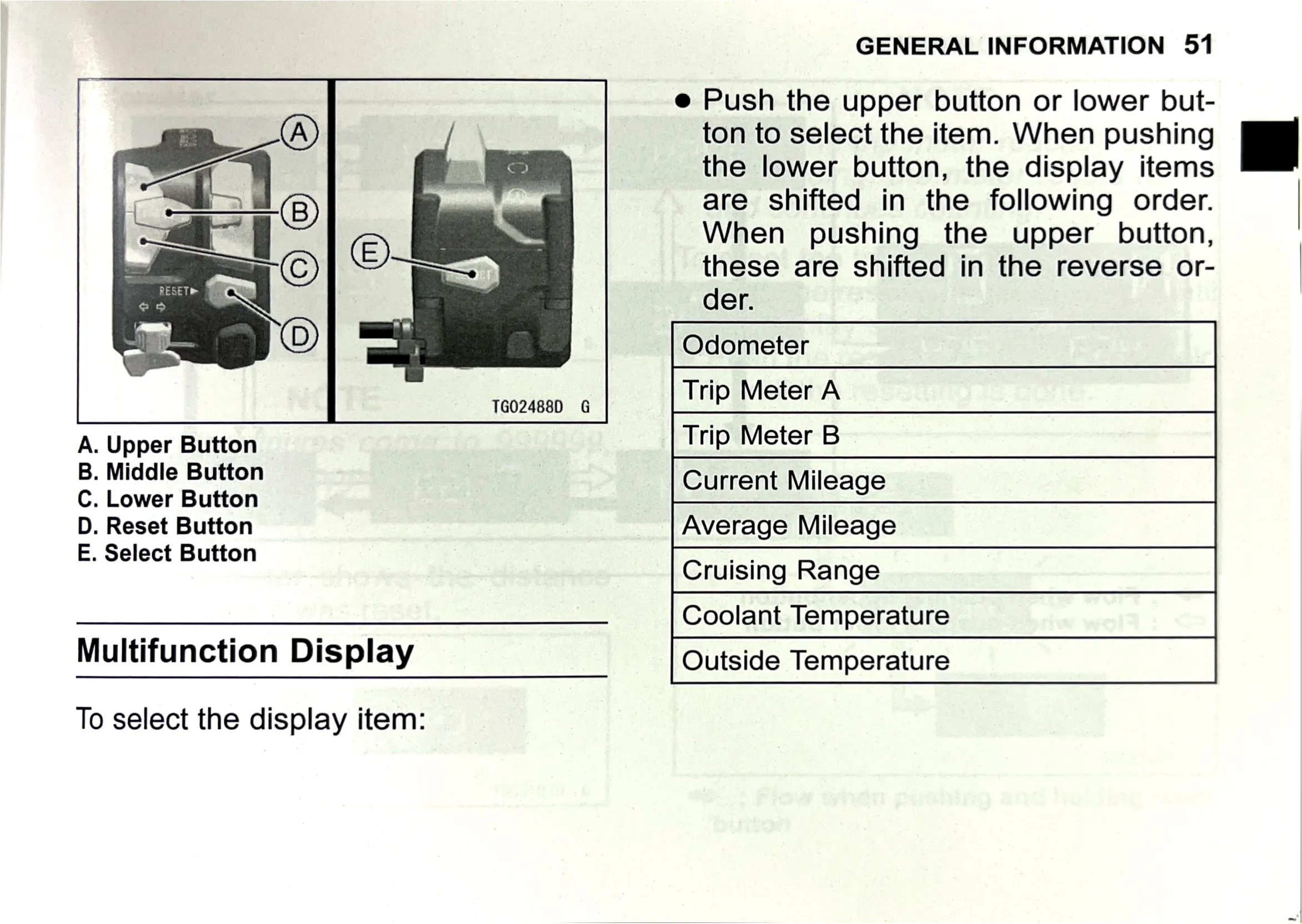
A. Upper Button
B. Middle Button
C. Lower Button
D. Reset Button

E. Select Button

Trip Meter B

Current Mileage

Average Mileage

Cruising Range

Multifunction Display

Coolant Temperature

To select the display item:

Outside Temperature