Owner's Manual — page 67 of 201 (printed page 65)
GENERAL INFORMATION
Text on this page
GENERAL INFORMATION 65

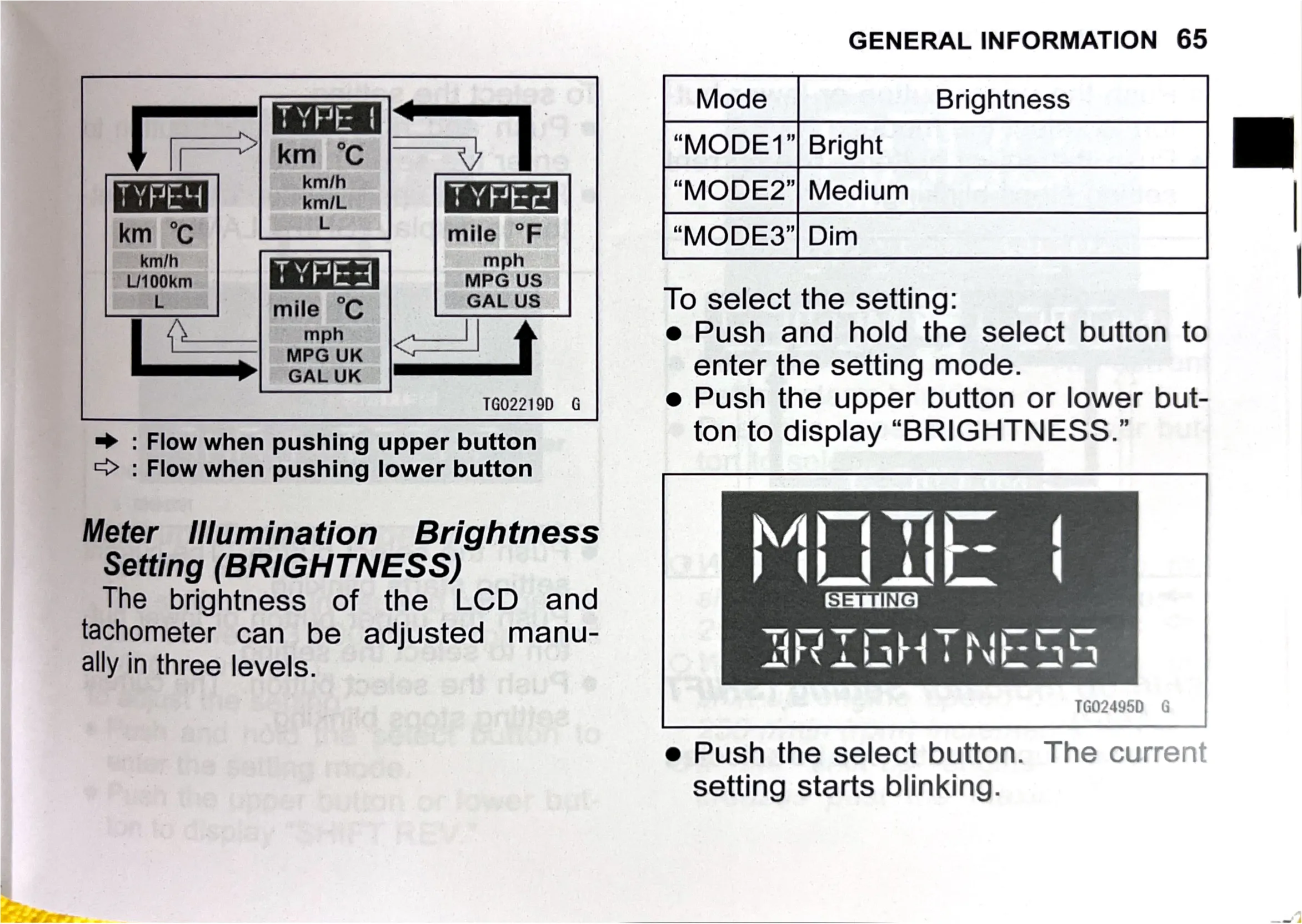
TYPE | . Mode Brightness
in = |
[=| ‘km ite l “MODE1”| Bright ||
TY PRY vale “MODE2”| Medium |
km °C = mile °F “MODE3"| Dim
se mile °C GAL US To select the setting:
(eS t e Push and hold the select button to
aan enter the setting mode.
14022190 G e Push the upper button or lower but-

=> : Flow when pushing upper button ton to display “BRIGHTNESS.”

=> : Flow when pushing lower button

Meter Illumination Brightness
Setting (BRIGHTNESS)

The brightness of the LCD and
tachometer can be adjusted manu-
ally in three levels.

TGO2495D G

e Push the select button. The curren
setting starts blinking.