Service Manual (KLZ1000C) — page 159 of 762
Cooling System › Mechanical Seal Inspection
Text on this page
COOLING SYSTEM 4-13
Water Pump

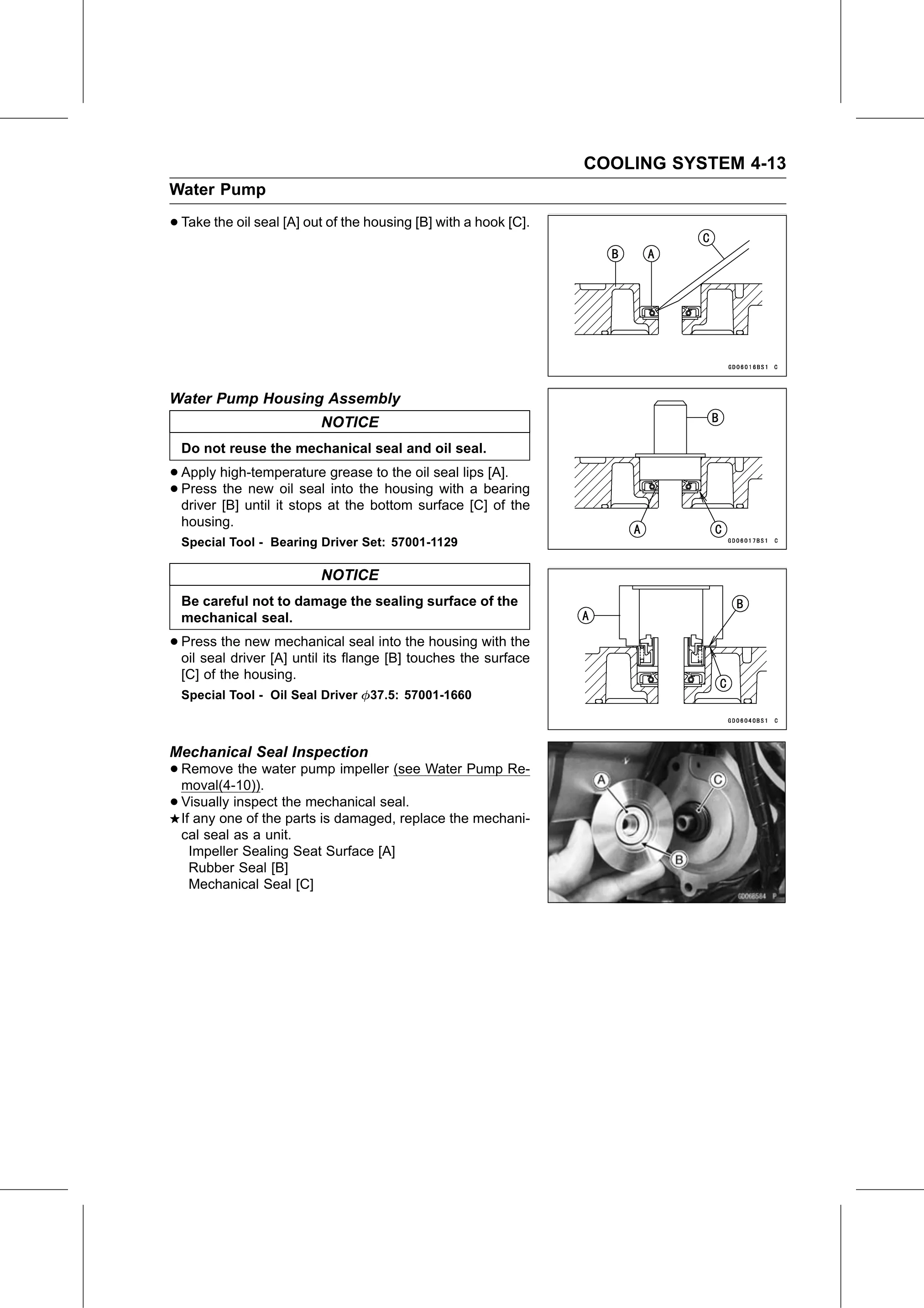
• Take the oil seal [A] out of the housing [B] with a hook [C].

Water Pump Housing Assembly
                          NOTICE
  Do not reuse the mechanical seal and oil seal.

• Apply  high-temperature grease to the oil seal lips [A].
• driver [B]
  Press  the new oil seal into the housing with a bearing
             until it stops at the bottom surface [C] of the
  housing.
  Special Tool - Bearing Driver Set: 57001-1129

                          NOTICE
  Be careful not to damage the sealing surface of the
  mechanical seal.

• Press  the new mechanical seal into the housing with the
  oil seal driver [A] until its flange [B] touches the surface
  [C] of the housing.
  Special Tool - Oil Seal Driver   37.5: 57001-1660

Mechanical Seal Inspection
• Remove    the water pump impeller (see Water Pump Re-
  moval(4-10)).
• Visually inspect the mechanical seal.
  If any one of the parts is damaged, replace the mechani-
  cal seal as a unit.
   Impeller Sealing Seat Surface [A]
   Rubber Seal [B]
   Mechanical Seal [C]