Service Manual (KLZ1000C) — page 336 of 762
Final Drive › Engine Sprocket Installation
Text on this page
11-10 FINAL DRIVE
Sprocket, Coupling
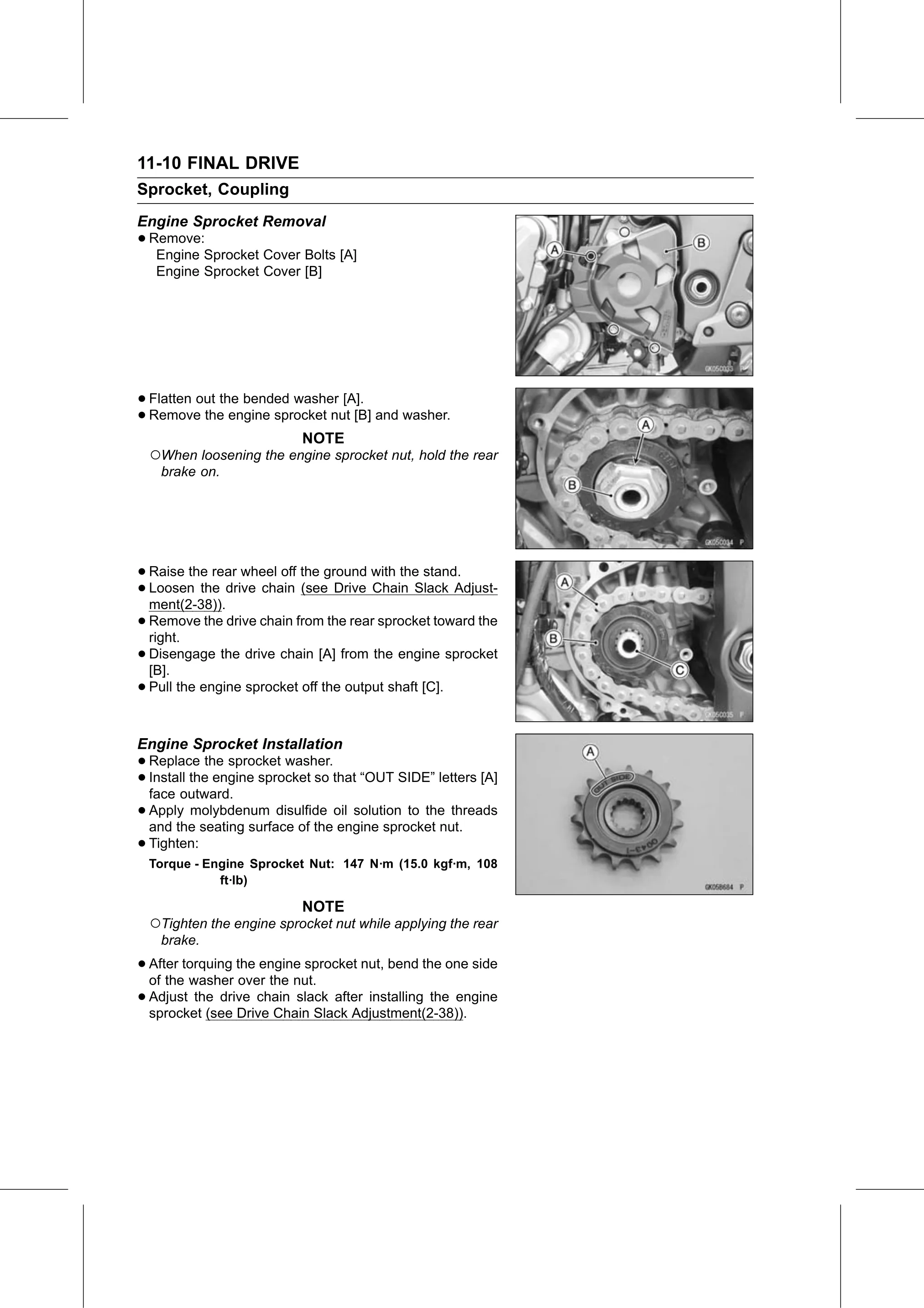
Engine Sprocket Removal
• Remove:
   Engine Sprocket Cover Bolts [A]
   Engine Sprocket Cover [B]

• Flatten out the bended washer [A].
• Remove   the engine sprocket nut [B] and washer.
                           NOTE
  ○When loosening the engine sprocket nut, hold the rear
    brake on.

• Raise  the rear wheel off the ground with the stand.
• ment(2-38)).
  Loosen   the drive chain (see Drive Chain Slack Adjust-

• Remove
  right.
            the drive chain from the rear sprocket toward the

• Disengage
  [B].
               the drive chain [A] from the engine sprocket

• Pull the engine sprocket off the output shaft [C].
Engine Sprocket Installation
• Replace   the sprocket washer.
• face outward.
  Install the engine sprocket so that “OUT SIDE” letters [A]

• Apply   molybdenum disulfide oil solution to the threads
  and the seating surface of the engine sprocket nut.
• Tighten:
  Torque - Engine Sprocket Nut: 147 N·m (15.0 kgf·m, 108
             ft·lb)

                           NOTE
  ○Tighten the engine sprocket nut while applying the rear
    brake.

• After torquing the engine sprocket nut, bend the one side
  of the washer over the nut.
• Adjust  the drive chain slack after installing the engine
  sprocket (see Drive Chain Slack Adjustment(2-38)).