Service Manual (KLZ1000C) — page 335 of 762
Final Drive › Drive Chain Replacement
Text on this page
FINAL DRIVE 11-9
Drive Chain
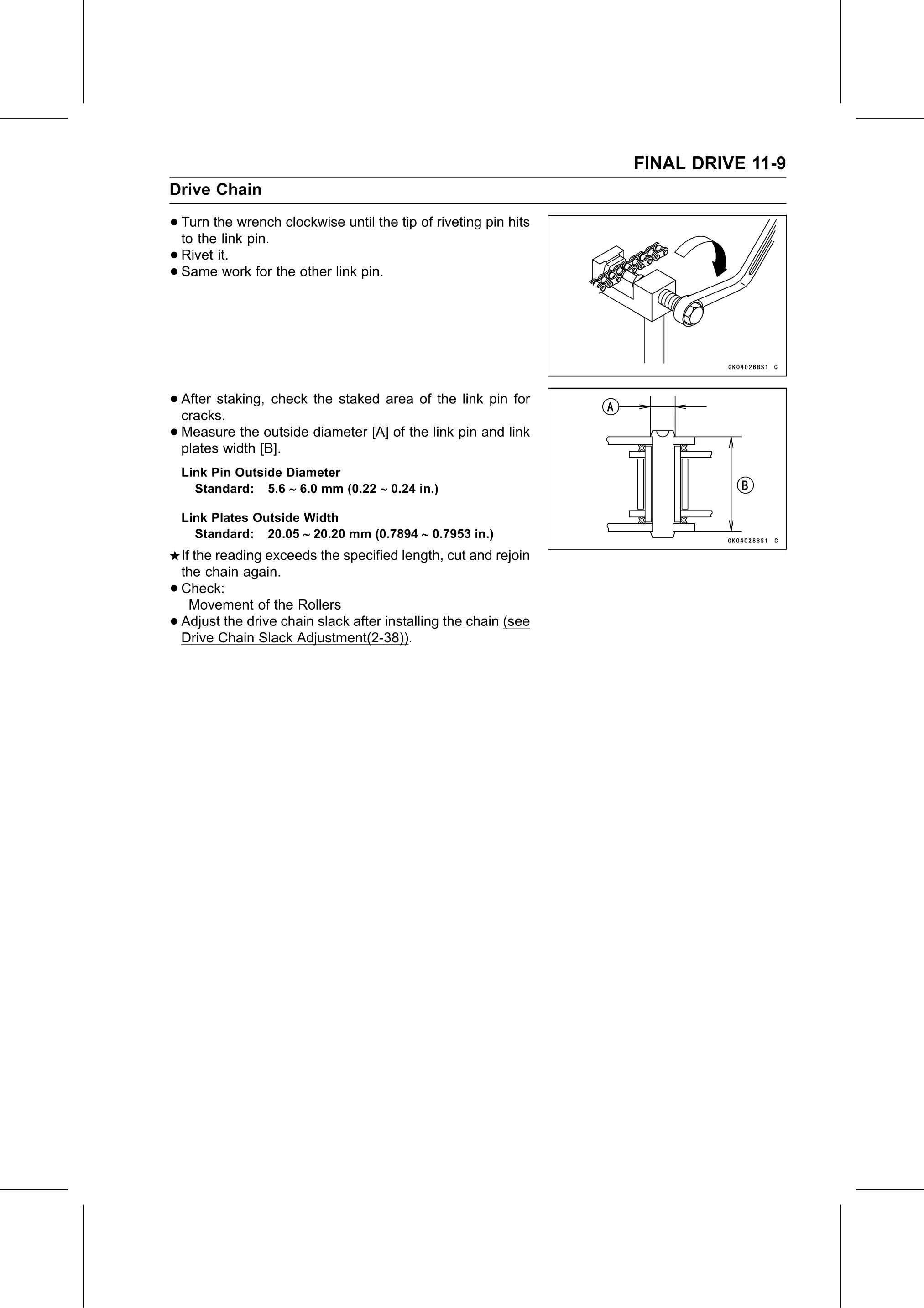
• Turn the wrench clockwise until the tip of riveting pin hits
to the link pin.
• Rivet it.
• Same work for the other link pin.
• After staking, check the staked area of the link pin for
cracks.
• Measure the outside diameter [A] of the link pin and link
plates width [B].
Link Pin Outside Diameter
Standard: 5.6 6.0 mm (0.22 0.24 in.)
Link Plates Outside Width
Standard: 20.05 20.20 mm (0.7894 0.7953 in.)
If the reading exceeds the specified length, cut and rejoin
the chain again.
• Check:
Movement of the Rollers
• Adjust the drive chain slack after installing the chain (see
Drive Chain Slack Adjustment(2-38)).