Service Manual (KLZ1000C) — page 594 of 762
Electrical System › Oxygen Sensor Removal
Text on this page
16-112 ELECTRICAL SYSTEM
Switches and Sensors
Water Temperature Sensor Inspection
• Remove   the water temperature sensor (see Water Tem-
  perature Sensor Removal/Installation(17-31)).
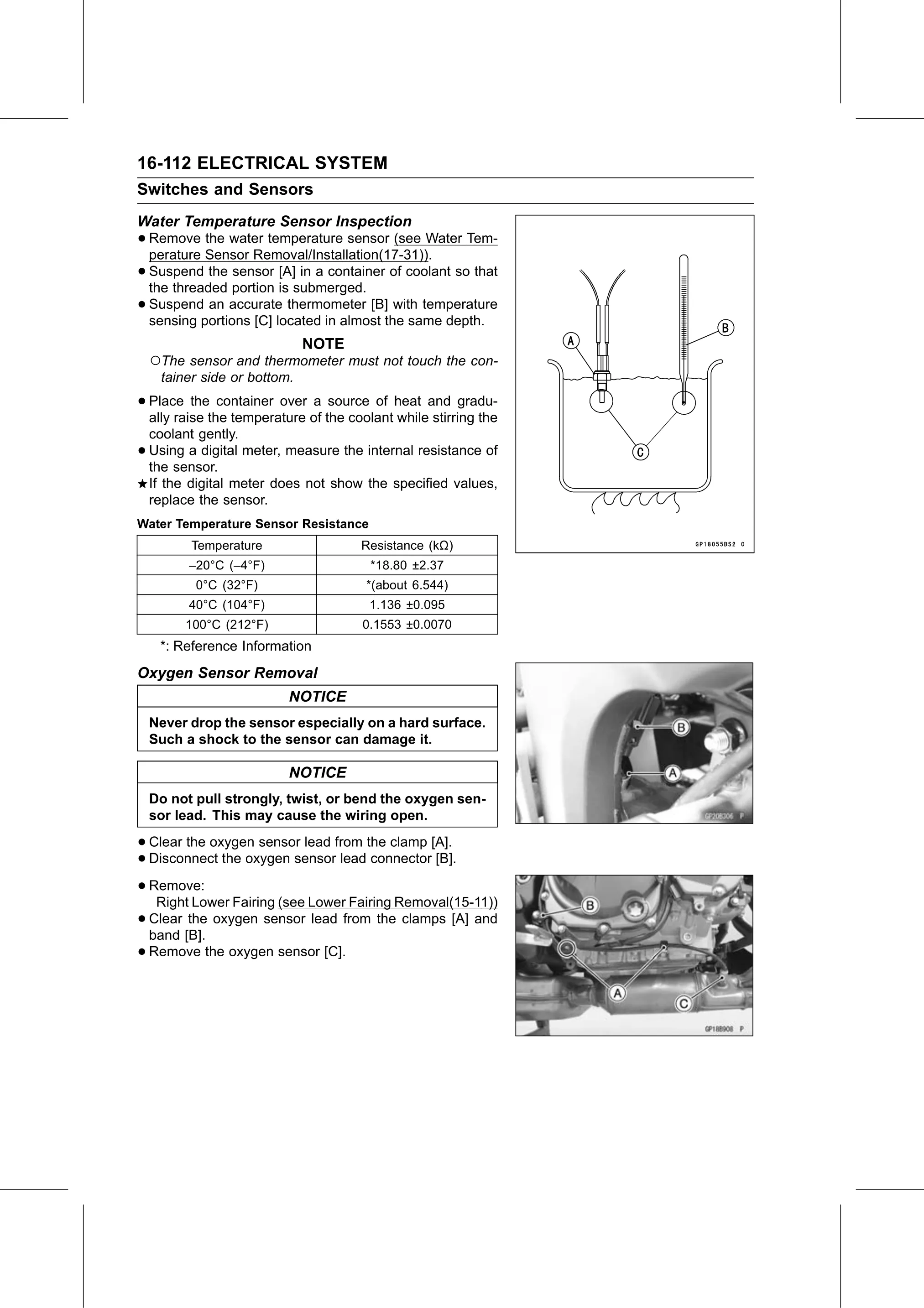
• Suspend   the sensor [A] in a container of coolant so that
  the threaded portion is submerged.
• Suspend   an accurate thermometer [B] with temperature
  sensing portions [C] located in almost the same depth.
                              NOTE
    ○The sensor and thermometer must not touch the con-
     tainer side or bottom.

• Place   the container over a source of heat and gradu-
  ally raise the temperature of the coolant while stirring the
    coolant gently.
•   Using a digital meter, measure the internal resistance of
    the sensor.
    If the digital meter does not show the specified values,
    replace the sensor.
Water Temperature Sensor Resistance
          Temperature                 Resistance (kΩ)
          –20°C (–4°F)                  *18.80 ±2.37
           0°C (32°F)                  *(about 6.544)
          40°C (104°F)                  1.136 ±0.095
         100°C (212°F)                0.1553 ±0.0070
     *: Reference Information
Oxygen Sensor Removal
                          NOTICE
    Never drop the sensor especially on a hard surface.
    Such a shock to the sensor can damage it.

                          NOTICE
    Do not pull strongly, twist, or bend the oxygen sen-
    sor lead. This may cause the wiring open.

• Clear the oxygen sensor lead from the clamp [A].
• Disconnect the oxygen sensor lead connector [B].
• Remove:
   Right Lower Fairing (see Lower Fairing Removal(15-11))
• Clear the oxygen sensor lead from the clamps [A] and
  band [B].
• Remove the oxygen sensor [C].