Service Manual — page 632 of 715
Electrical System › Meter Operation Inspection
Text on this page
16-72 ELECTRICAL SYSTEM
Meter, Gauge, Indicator Unit

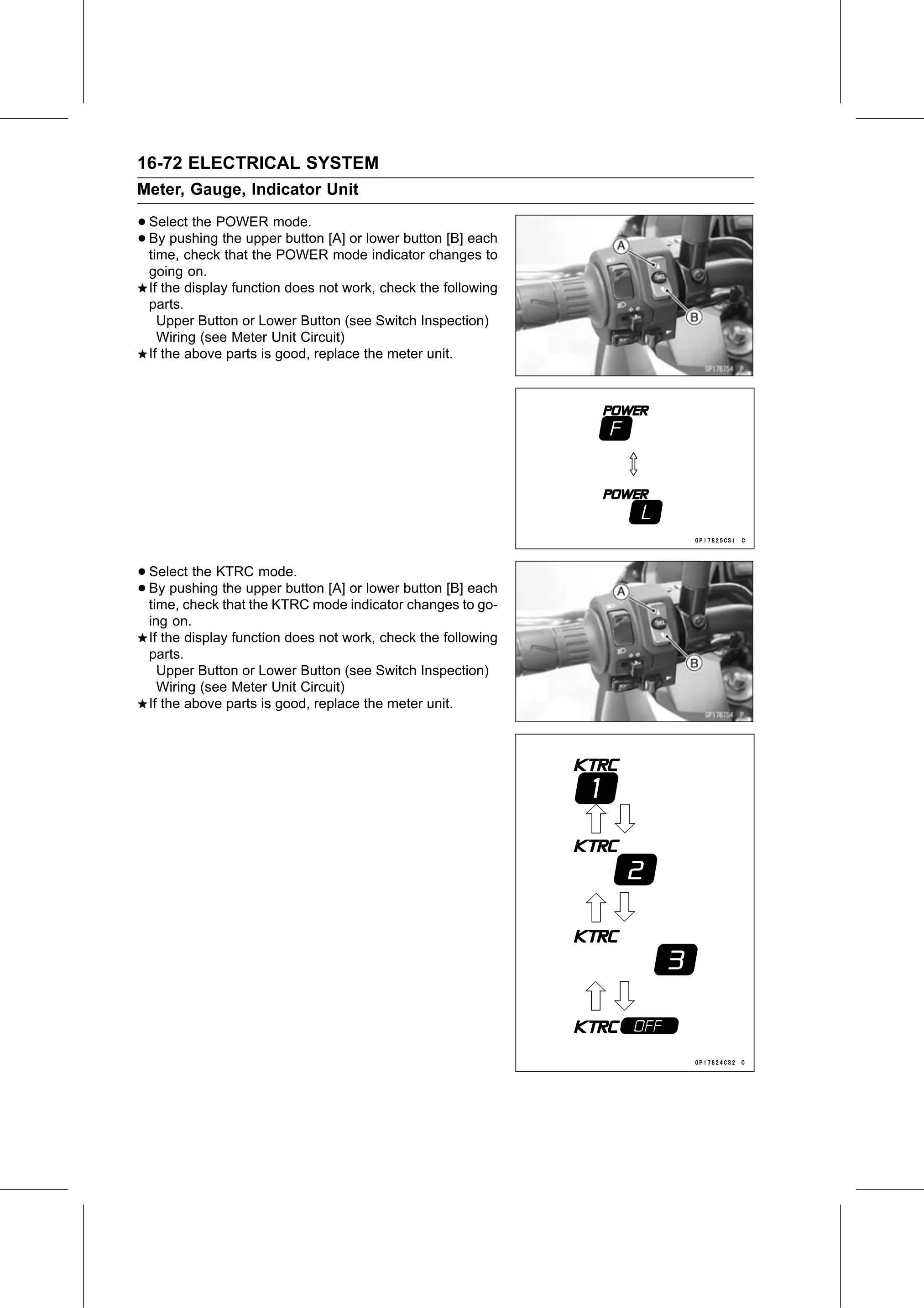
• Select the POWER mode.
• time, check the
  By pushing      upper button [A] or lower button [B] each
               that the POWER mode indicator changes to
 going on.
 If the display function does not work, check the following
 parts.
   Upper Button or Lower Button (see Switch Inspection)
   Wiring (see Meter Unit Circuit)
 If the above parts is good, replace the meter unit.

• Select the KTRC mode.
• time, check the
  By pushing      upper button [A] or lower button [B] each
              that the KTRC mode indicator changes to go-
 ing on.
 If the display function does not work, check the following
 parts.
   Upper Button or Lower Button (see Switch Inspection)
   Wiring (see Meter Unit Circuit)
 If the above parts is good, replace the meter unit.