Service Manual — page 637 of 715
Electrical System › Meter Unit Inspection
Text on this page
ELECTRICAL SYSTEM 16-77
Meter, Gauge, Indicator Unit

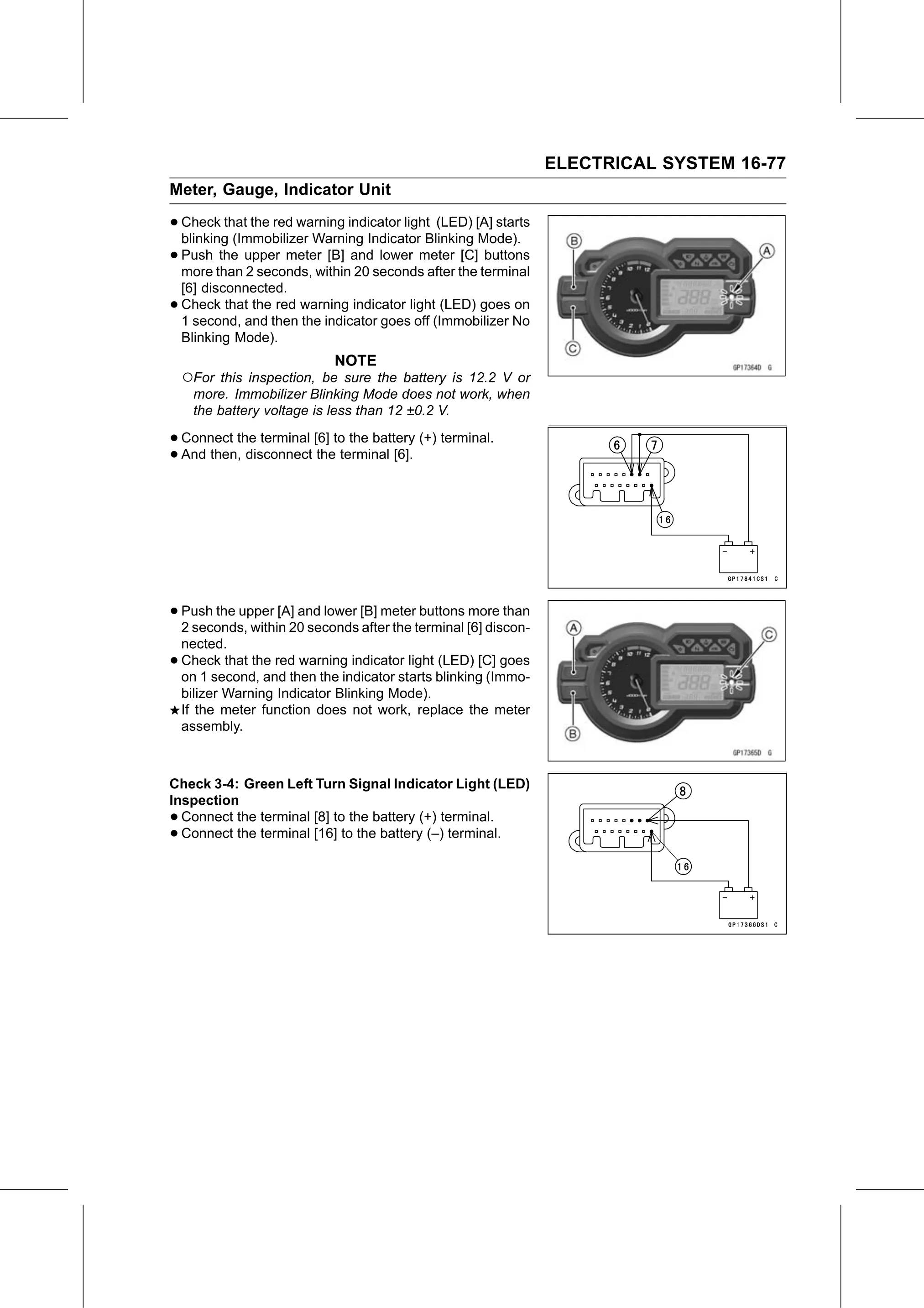
• Check   that the red warning indicator light (LED) [A] starts
  blinking (Immobilizer Warning Indicator Blinking Mode).
• Push   the upper meter [B] and lower meter [C] buttons
  more than 2 seconds, within 20 seconds after the terminal
    [6] disconnected.
•   Check that the red warning indicator light (LED) goes on
    1 second, and then the indicator goes off (Immobilizer No
    Blinking Mode).
                             NOTE
    ○For this inspection, be sure the battery is 12.2 V or
     more. Immobilizer Blinking Mode does not work, when
     the battery voltage is less than 12 ±0.2 V.

• Connect the terminal [6] to the battery (+) terminal.
• And then, disconnect the terminal [6].

• Push the upper [A] and lower [B] meter buttons more than
  2 seconds, within 20 seconds after the terminal [6] discon-
    nected.
•   Check that the red warning indicator light (LED) [C] goes
    on 1 second, and then the indicator starts blinking (Immo-
    bilizer Warning Indicator Blinking Mode).
    If the meter function does not work, replace the meter
    assembly.

Check 3-4: Green Left Turn Signal Indicator Light (LED)
Inspection
• Connect the terminal [8] to the battery (+) terminal.
• Connect the terminal [16] to the battery (–) terminal.